
Plan a team of six Anima
Choose up to six Anima, see which Aspects that roster covers, and share the link. Coverage is a planning check, not a combat bonus.
Fill six places
An Anima page can send a creature straight in with Add to team: Umpurrella. Open the team builder with the two-creature Light/Dark starter team, or a full named roster from Builds. The page holds 6 places. Choosing a creature already in the roster removes it. Choosing another when every place is filled asks who should make room, and Cancel leaves the roster as it was.
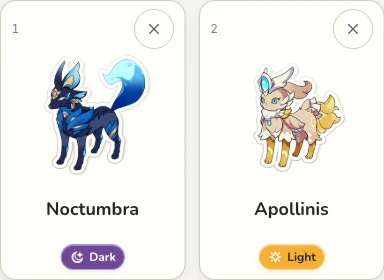
Both sides of one opposing pair are present in this selection.
Open this teamRead the Aspect coverage
Under a roster, each selected Aspect appears once, with a count when you picked more than one creature of that Aspect. A line between two Aspects is complete only when the roster contains both sides. If one side is missing, that line filters the list to the missing Aspect. See the opposing Aspects guide for the pairs. The line describes your selection. It does not add a damage bonus.
Use Height and Energy as roster facts
When every selected Anima has an Energy figure, the page adds those figures. It also names the tallest member and, when another member is shorter, the shortest. Those are facts about this roster. They do not rank who would win a fight. Open the comparison tool to view those measurements together before replacing a member.
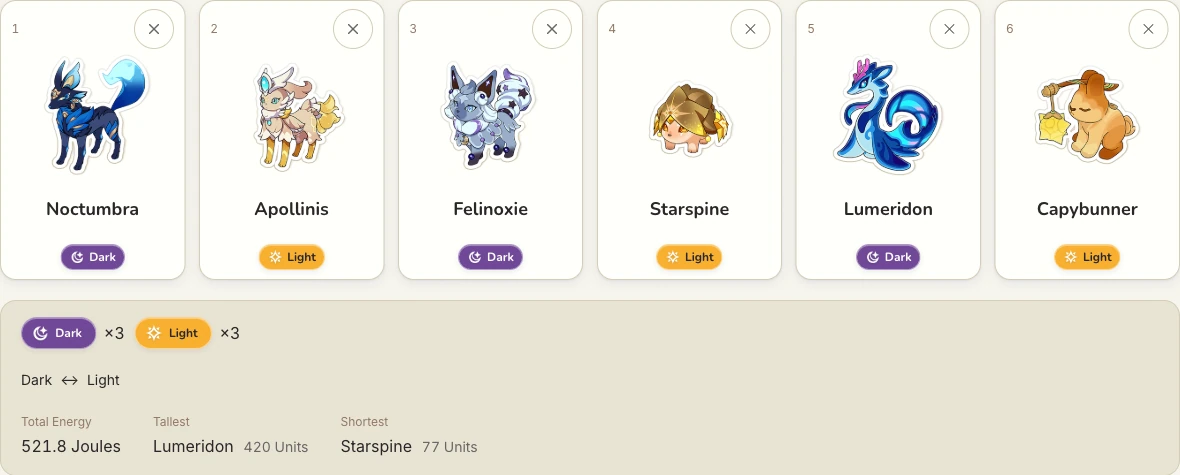
The Day and Night starting team fills all six places. The figures describe that selection, not a combat forecast.
Open this teamShare a link without erasing a saved roster
This browser keeps the roster on the device. A shared address, such as the Light/Dark starter team, shows that selection and leaves the saved roster in place until you add, remove, or replace a member. If the browser cannot save, use Copy link to retain a URL for the current selection. Clear removes everyone, and Undo puts the previous roster back.